

The sales guy opens up a lead marked as “hot” in HubSpot. Name, email, company, lifecycle stage: Marketing Qualified Lead. All fields filled in perfectly.
And they still don’t know what to say first.
It’s not the kind of data problem most teams think they have. The record isn’t sitting empty. It’s just not telling anyone any useful information. There is a real difference between a lead record that’s complete and one that helps at the exact moment someone opens it to start a conversation.
Most HubSpot setups get really good at the first thing. Very few can manage the second. And that’s usually where inbound sales in HubSpot starts to stall. It’s never at the top of the funnel. It starts in those few seconds after a rep clicks onto the contact and has nothing valuable to work with.
A Full Record Isn’t the Same as a Useful One
“Complete” in most HubSpot portals just means the automation ran. The forms fired, enrichment filled the gaps, and workflows bumped the lifecycle stage. All boxes ticked (or so it appears).
None of that actually tells anyone why this particular person filled in a form today.
Marketing measures success by how full the record looks. Sales measures it by whether they know what to say. Those are two very different standards, sitting on top of the same set of properties, and most businesses only ever design for the first one.
What Enrichment Actually Tells You (and What It Can’t)
HubSpot’s enrichment tools are genuinely useful. They take the name and email and turn it into a job title, company size, industry, and sometimes even a tech stack. This is all real information, and it saves a rep from opening three different tabs before making a call.
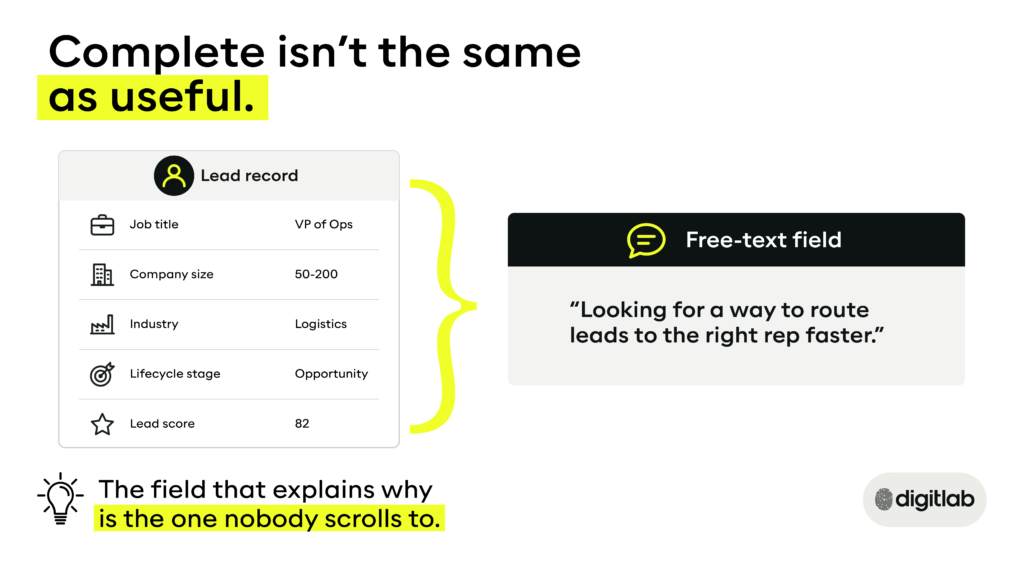
Let’s look closely at what it describes, though: the account, not the moment. Enrichment can tell you this person works at a 50 to 200 person logistics firm. It doesn’t tell you why they’re on your site this week, or what changed for them that made today the day they filled out the form.
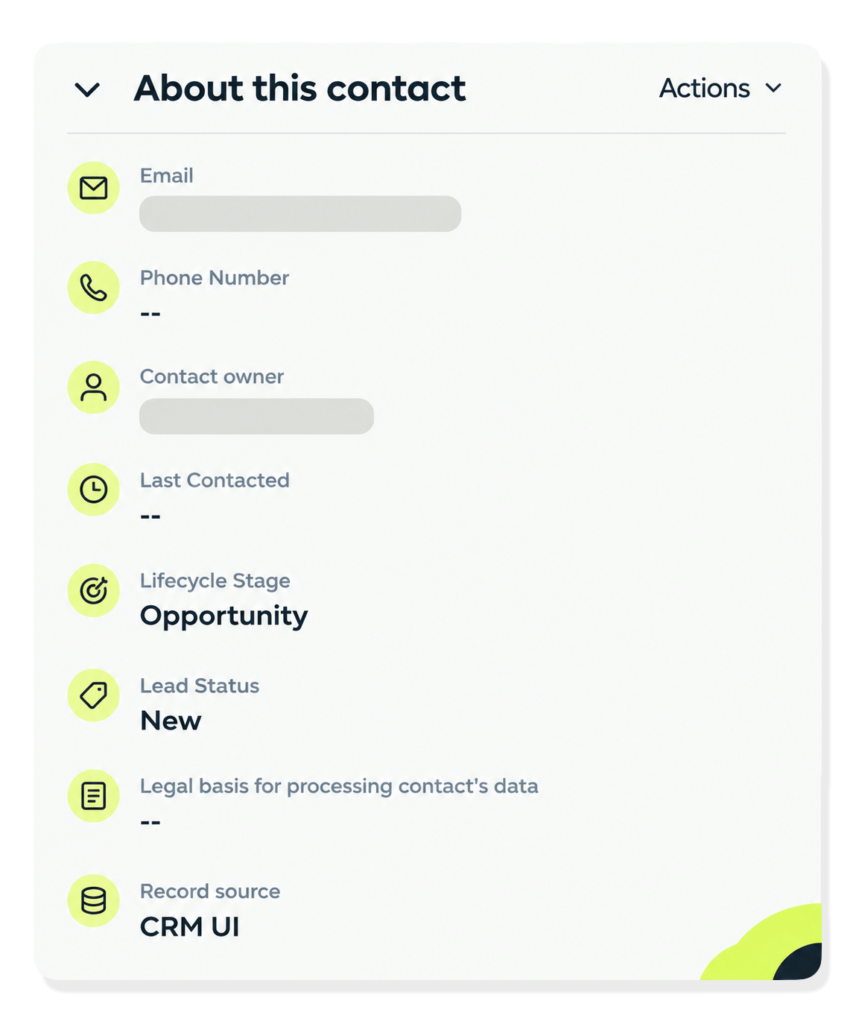
That’s a distinction that easily gets lost inside a HubSpot CRM that treats every filled property the same. It’s common to open a record and see Lifecycle Stage reading “Opportunity” while Lead Status, two fields down, still says “New”. Both properties are technically accurate, but tell different stories about where this person actually is.
An enrichment API field sits next to a field populated by the lead’s own behaviour, almost identically styled, weighted similarly in most scoring models. One tells you about a business category. The other tells you about a person, right now.
Sales needs the second version more than the first, and most records bury it under a pile of the former.
The Field Nobody Bothers to Read
Most HubSpot forms have a free-text field and usually have something along the lines of: “Tell us what you’re looking for” or “Anything else we should know?” It’s optional, near the bottom, and usually the most sales-ready piece of information on the entire record.
It’s also the one field automation can’t do much with. Lead scoring runs on dropdowns and check boxes because workflows can evaluate those. When someone types in a sentence, it can’t fit a property filter, it doesn’t influence the score, doesn’t trigger a workflow, and often doesn’t even show near the top of a contact view. Meanwhile, the sidebar can be stacked modules deep: quotes, tickets, payments, loyalty, most of them sitting on zero – all present, but none explaining why the lead is here.
Go and check your own portal. Pull up the last lead that converted well and look at where their message sits on the page. There’s a good chance it’s scrolled past more often than it’s read.
What “Complete” Actually Discourages
No one asks questions about records that look finished.
Once a lead has their title, company, score, and lifecycle stage, it’s easy to assume that’s the whole picture. Marketing won’t be asked what happened before this person converted. The record becomes a stand-in for the conversation that should’ve happened, instead of a starting point for one.
That’s a quieter problem than a broken handoff process, and it’s much harder to spot because on the surface it looks fine.
What Sales Needs at the Handoff Point
Here’s the gap in practical terms: what a “complete” HubSpot record typically holds, next to what a rep actually needs in the first minute of picking up a lead.
What’s in the record | What a rep needs |
Name, email, job title | What page or offer triggered this enquiry |
Company size, industry | Their own words on what they’re looking to solve |
Lifecycle stage | How long since the last engagement |
A lead score | What’s changed in their situation? |
Source campaign | What objection, if any, is already on the table? |
The left is what most HubSpot builds are optimised to produce. The right is what actually shortens the gap between a rep opening a record and having a real conversation. They overlap less than most teams like to assume.
Building This Into Your HubSpot Properly
None of this means you need new software. It requires deliberately deciding what belongs on the right side of that table and building your HubSpot CRM around it.
A few practical moves worth making (because we already have):
- Create a property group specifically for handoff context (separate from firmographic and lifecycle properties) so it’s not buried under an AI-generated summary of everything else.
- Pull the free-text field into that group and surface it in the deal view – not just the contact record.
- Define lifecycle stage changes as something sales and marketing agree on together.
- Build a simple rule for what must be true (in behaviour or the lead’s own words), before contacts route to reps.
This is the kind of build that shows up in the CRM and inbound sales work we do with clients: not a bigger CRM, a better-organised one.
If your lead generation setup and CRM configurations are handled by different teams, this is usually where the gap opens up in the first place.
Where This Leaves You
Open your own HubSpot. Not the dashboard, one actual lead, the last one that turned into a real conversation. Look at what was on record before anyone picked up the phone. Chances are, it wasn’t the score, and it wasn’t even the seven modules sitting in the sidebar. It was something further down the page.
So look again at how your portal is built. Is it giving reps the full picture, or just a full-ish looking one? And if the next hot lead landed right now, would you actually know what to say first?
Frequently Asked Questions
What data should sales see before contacting a lead in HubSpot?
Sales needs to know the enquiry trigger, what the lead said in their own words, how recently they engaged, and whether their situation changed.
What’s the difference between enriched data and behavioural data in HubSpot?
Enriched data describes the account: company size, job title, industry, usually automatically filled from a third-party source. Behavioural data describes the person: what they clicked, viewed, downloaded, or typed.
How do you make free-text fields part of lead routing in HubSpot?
Most HubSpot workflows trigger off structured properties, so free-text responses need to be pulled into a visible property group and manually reviewed or flagged through simple keyword rules.